20 Photoshop tutorials
Includes How to use Levels; How to use Curves and Levels; Cloning and Spotting; take any photo and add a basic photo studio backdrop; Custom Brushes; ...12 Video Tutorials for Improving your Photoshop Skills
Essential Resize and Color Photoshop Skills - A quick and dirty overview of how to resize and fix the colors of an image before printing or adding it to the web. This is the first step in improving your Photoshop skills and only takes minutes to master.
Cleaning Up a Photo’s Background – Learn how to clean up the background or stray elements of an otherwise beautiful shot. The tutorial is done on a model shot, but this method works very well for all types of photography.
Fixing Lighting Issues - In this tutorial you will learn how to fix common lighting problems caused by over and under exposure. Don’t let a simple thing like exposure ruin your shot!
Sharpening and Unsharpening – Discover how to bring up the details you want and fade out the ones that you don’t in this easy to follow tutorial. Once you’ve mastered the basics of this method, have fun applying it to the different levels of an image for interesting effects.
Adding and Removing Tattoos – Sometimes is becomes necessary for a tattoo to be removed from a photo (usually by the subject’s request). Learn how to do this quickly in this tutorial, as well as a fun way to add tattoos to models.
Removing Red Eye From People and Animals – Find out how to remove that infamous red eye or even “pet eye” without detracting from the overall picture. Now you will have no worries when photographing wildlife!
Create Glowing Skin – Add that glamour-shot soft glow to any model’s skin with just a few steps and this simple tutorial. This is also a great way to improve skin tone and texture at once.
Change a Color Photo to a Black and White One – You can make a color image into a black and white one pretty easily, but don’t stop there! Make these new black and white photos rich in contrast and value to add that professional stroke.
Coloring Specific Photo Elements – This is a fun technique which if used correctly can add interest and an artistic flair to black and white image. It is also known as selective coloring.
Using the Photoshop Curves Tool – The curves feature is one of the most powerful and misunderstood tools in Photoshop. Use it to improve lighting, values, hues, and more in an image.
Using the Photoshop Curves Tool Part 2 – Part two of the comprehensive Photoshop curves tutorial mentioned above. How to bring it all together for the perfect final image.
Combining Images – This is a creative way to take two or more hum-drum images and combine them to create one marvelous one. Go beyond simple makeovers and coloring to create works of art.
18 Essential Free Photoshop Tutorials for Black and White Photography Lovers
Black and white can add drama and emotion to many different kinds of photographs. There are however, many different ways to convert your digital images to black and white and an almost limitless amount of effects that you can apply after that. Here are some of the best Photoshop tutorials for black and white lovers that we could find.
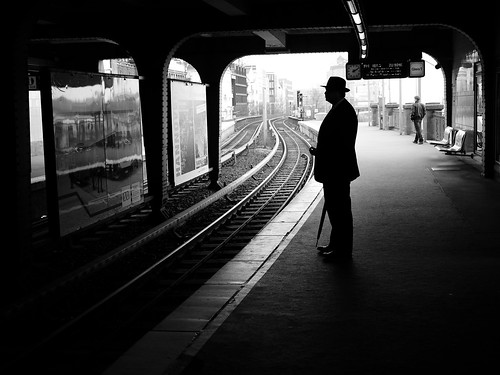
Standard Black and White Conversions in Photoshop Tutorials
7 Black and White Photoshop Conversion Techniques – You should probably familiarise yourself with the different basic options available to you when you want to make black and white images from your colour digital files. This is a good start.
Converting to B&W – There are a lot of ways to use Photoshop to convert your colour files to black and white. This tutorial gives a fast rundown of 4 of the main ways you should know about.
Fast, High Quality Black and White Conversions in Photoshop – This is a solid way to quickly convert your colour digital images into high quality black and white images. Simple steps and plenty of screen shots too!
Convert a Color Photo into Black and White – This is a solid tutorial from “Cambridge in Colour” which is a website you should put in your bookmarks. This tutorial is very thorough and gives a lot of background information on the process that is well worth knowing.
Black and White Adjustment Layer in Photoshop CS5 (VIDEO) – This is a solid little video showing one of the standard ways to convert your images to black and white. It’s less than 5 minutes long and well worth a look.
Black and White Photo Conversion in Photoshop – This tutorial is mainly concerned with using the channel mixer in Photoshop to create strong images. It’s a short introduction that can get you started very quickly.
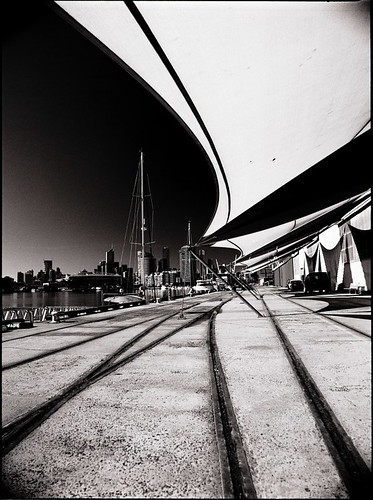
Assorted Black and White Photography Tutorials for Different Effects
High-Key B&W Portrait Effect – This is a simple four step tutorial for achieving a high-key effect which is basically a dramatic lightening with high contrast. It is very effective in model photography.
Black and White High Key Effects in Photoshop – This is a slightly more involved tutorial on high key conversions in Photoshop.
Photoshop Tutorial: Black and White with Warm Tone (VIDEO) – This is a common enough effect, but this tutorial makes it easy and you will love the end result.
Authentic Grainy Photoshop Effect for Your Black and White Photos – Getting some grain into your black and white images can create a stunning effect. Follow this simple tutorial and test it out on your own photographs.
Color, Black and White, Sepia Mixing Photoshop Tutorial - This tutorial gives you a lot of options for the final result. In this case, it’s more like a desaturate colour image, but you could just as easily use the steps in this tutorial for some creative sepia outcomes.
Split Toning Black and White Photos in Photoshop – This tutorial can also be used to add drama to black and white images or even to bring in a major element of colour.
Black and White Conversion from HDR – A lot of people are a fan of this technique which gives very contrasting and dramatic black and white images starting with a HDR image.
Create a Vintage Looking Image with Photoshop – This is a creative technique to turn your photos from colour into old style black and white. A lot of fin to play around with.
High Contrast Black and White Ad – Get a high contrast effect that you sometimes see used in portraits of models in magazines or album covers. A commercial type of look.
Black and White Photos with Just a Touch of Color – This technique of leaving an element of colour on a part of your, otherwise, black and white photo is also known as selective colour. It is quite popular and, if done well, can be very effective.
Dramatic Black and White Effects in Photoshop – This tutorial focusses on taking advantage of dramatic lighting to produce some great results.
Dodge and Burn Using Curves for Monochrome Images – This tutorial concentrates on creating dramatic contrast and tonality which results in a very impressive image, if done correctly.
20 Special Effects Photography Tutorials
Learning how to do beautiful photography special effects can give a lot of enjoyment for some of us amateur photographers. The great thing is that many of the techniques that required a large investment in equipment only a few years ago, can now be replicated using a good digital editing program on a home computer.
This list of tutorials from tilt shift photography through to HDR will hopefully show you that the world of special effects photography is not outside the bounds of the average amateur. In fact, a rich world of photo experimentation is right at the hands of anyone who has a camera, a computer and some patience.
Tilt Shift Photography Tutorials

Photo by JJJohn
Tilt shift photography produces images that look almost like miniature model scenes. In fact, when you first see tilt shift images, you could be forgiven for thinking that you are looking at a scene from a model railway.
Tutorials:
Lomo Photography Tutorials
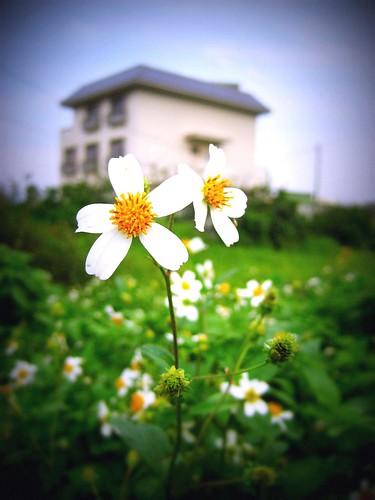
Photo by Klaire Lee.
Lomo photography has a massive worldwide following due to the success of the original Russian state-run LOMO PLC which produced the LOMO LC-A Compact Automat Camera in the early 1980s. The camera produced a unique and recognizable hue and blur to the images in took and soon became a photophic cult favourite.
Tutorials:
HDR Photography Tutorials
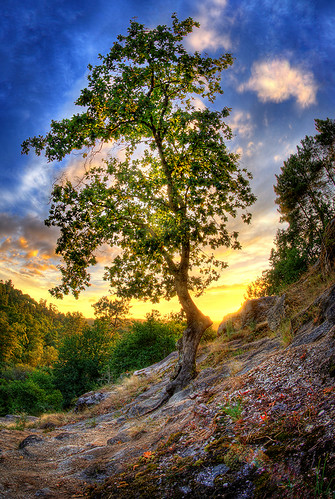
Photo by Paulo Brandão.
HDR or High Dynamic Range photography produces remarkably stiking anbd colorful images that have enjoyed massive popularity for the last few years. Resembling the effects of Fuji Velvia film, HDR images are surprisingly easy to replicate.
Tutorials:
Infrared Photography Tutorials

Photo by Schoeband.
With traditional infrared photography, the film or image sensor had to be sensitive in inrared light. These days, the same effect can be achieved with photoshop.
Tutorials:

No comments:
Post a Comment